
918Kiss Uses Very Little Storage but Still Feels Heavy—Why App Size Doesn't Tell the Whole Story

You check your phone's storage screen. The game barely shows up. A small number, a small slice.
And yet it feels heavy: slow to wake, choppy on the animations, a bit warm in your hand.
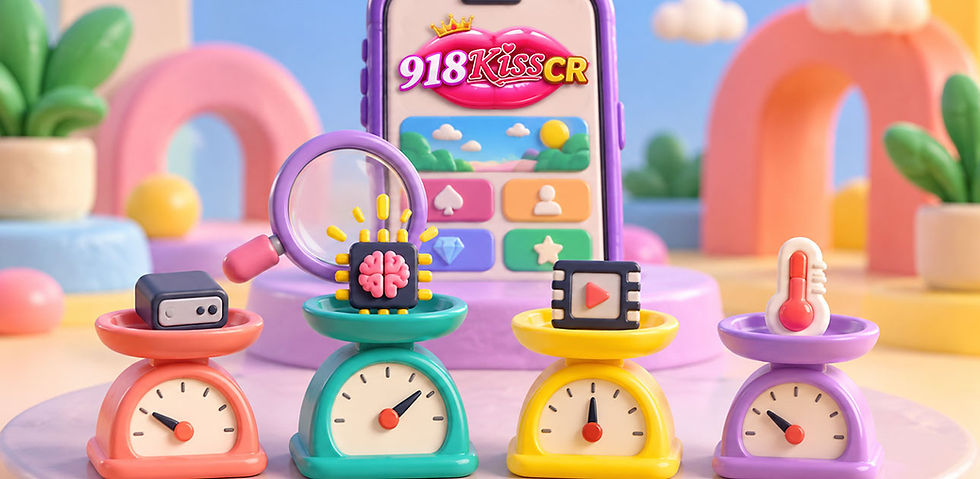
Small number, heavy feeling. Something doesn't add up, so let's put your phone on the scales. There are four of them, and only one gives the verdict.
At a glance:
The format: a four-scale weigh-in. Tick what you notice on each scale, tally the ticks and read the verdict.
The big idea: the size shown in storage settings measures one kind of weight, the room an app's files take up. It doesn't measure memory, the work done on each screen frame, or how warm the phone gets.
The four scales: free space, memory, smoothness and warmth
What you need: your phone and about three minutes
Honest note: the scoring is a simple self-check made for this article, not a lab test
Why "Small" and "Light" Aren't the Same Thing
Before the scales, three facts from Android's developer documentation explain why the size on your storage screen can mislead.
Fact 1: Running memory is a separate account. Storage is where files sit. RAM is where an app works while it runs. Android's documentation says that "any memory an app modifies—whether by allocating new objects or touching mapped pages—remains resident in RAM and cannot be paged out," and that the only way to release it is for the app to let go of what it's holding. An app can sit small on disk and still hold a lot in memory while it's running.
Fact 2: Pictures grow when they're opened. The documentation shows how an image's memory use is worked out: width times height times bytes per pixel, with four bytes per pixel in the common ARGB_8888 format. As an illustration of the arithmetic only, a 1080 by 1920 image comes to 8,294,400 bytes, around 7.9 MiB, once it's decoded in memory, whatever size the file was on disk. That's a worked example, not a measurement of 918Kiss.
Fact 3: Smoothness has a deadline. To feel smooth at 60 frames per second, Android says an app must render each frame in under 16 milliseconds; the window is 11 ms for 90 fps and 8 ms for 120 fps. If a frame runs over, the system doesn't show it a little late, it drops the frame entirely. Frames that take longer than 700 ms are called frozen frames, and the app seems stuck. None of this has anything to do with how big the files are.
So a small install and a heavy feeling can both be true at once. Time to find out where your weight is.
The Weigh-In
Tick everything that matches, scale by scale.
⚖️ Scale 1: Free Space
Not the app's size. The phone's overall room.
☐ Your phone has less than roughly 15% of its storage free
☐ The whole phone feels slow, not just this game
☐ You've never cleared out the app's temporary files (cache)
What the facts say: a SamMobile explainer reports that when free storage drops below roughly 10 to 15 percent, a phone struggles to manage temporary files and system operations. That's one source's rule of thumb, not a hard line. A NextPit explainer describes cache as "a collection of temporary data used by apps to speed up tasks or loading."
⚖️ Scale 2: Memory
How much room the game gets while it runs.
☐ The game reloads from the start when you come back after using other apps
☐ Other apps reload when you return to them, too
☐ You keep a lot of apps open in the background
What the facts say: Android's documentation says that as a system runs low on memory, it kills cached processes, and a launch after that is a "cold start," the slowest kind, where the system and the app have the most work to do. SamMobile notes that apps use RAM and processor power even when you aren't using them.
⚖️ Scale 3: Smoothness
Whether each frame gets finished in time.
☐ Reels and animations visibly stutter or skip
☐ Taps feel delayed while animations are running
☐ It happens even with few other apps open and a cool phone
What the facts say: the 16 ms, 11 ms and 8 ms deadlines above. When frames overrun, Android drops them, which you see as stutter. An Android Authority benchmark analysis also notes that graphics performance in budget phones tends to lag behind their general processing, so a phone can handle everyday apps well and still struggle with graphics-heavy screens.
⚖️ Scale 4: Warmth
Whether the phone is slowing itself down.
☐ The phone feels warm after only a short time playing
☐ The game feels smooth at first and worse later in a session
☐ It improves after the phone has rested
What the facts say: Android's documentation says devices "can only maintain a high level of performance for a limited amount of time before being thermally throttled," and that once a device overheats, its workload has to drop to dissipate heat.
Tally It Up
Count your ticks on each scale (0 to 3). The scale with the most ticks is where your weight is. If two scales tie, you have two sources of heaviness, so work on both. If every scale scores 0 or 1, the feeling may come from something this weigh-in doesn't cover, and it's worth testing the same game on another phone or connection before drawing any conclusion.
The Verdicts
🗄️ Free Space Is the Heavy Scale
The phone is cramped, and the game is only one of the things feeling it.
Try: free up room, after backing up anything you want to keep, and aim to stay comfortably above the 10 to 15 percent range. Clear the app's cache, not its data. NextPit explains that clearing cache removes temporary files without deleting personal data or saved settings and can often solve loading or crashing issues, while clearing storage resets the app to its factory state and deletes settings and logins. Make sure you know your login details before you touch either.
🧠 Memory Is the Heavy Scale
Too much is competing for working memory, so the game keeps getting pushed out.
Try: close the apps you aren't using before you play, and avoid hopping between lots of apps mid-session. Each time the system closes the game in the background, the next launch is a full cold start.
🎞️ Smoothness Is the Heavy Scale
Frames aren't getting finished in time.
Try: reduce what else the phone is doing during play, and keep it cool. If the stutter stays even then, the cause may be the limits of the phone's graphics, and no setting will fully fix that.
🔥 Warmth Is the Heavy Scale
The phone is throttling itself.
Try: give it a break and let it cool down between sessions. If performance recovers after a rest, heat was likely part of it.
One More Weight You Can't See on a Scale
How heavy an app feels isn't only technical. Waiting, stuttering and reloading all add to a feeling of effort. A faster-feeling session is nicer to sit through, but it doesn't change anything else about the game or your plan. Whatever you fix, keep your time and spending limits exactly where you set them before you opened the app.
And ignore any offer of a "lite," "lighter" or "faster" version of the app from a link or a group chat. A smaller file isn't the same as a better one, and only the official source can tell you what's genuine. Get the app and its updates from the official source you trust.
Your Final Verdict
App size on a storage screen answers one question: how much room do the files take when the app is sitting still? Heaviness answers a different one: what does it ask of your phone while it's running? Weigh your phone on all four scales, trust what you find over the number on the screen, and fix the scale that's actually carrying the weight.
FAQ
Why can an app that takes little storage still feel heavy?
Because the size shown in storage settings measures the room the app's files take up, not what it uses while running. Android's documentation explains that memory an app modifies stays in RAM, and that each frame must be finished in under 16 milliseconds at 60 fps to look smooth, neither of which depends on file size.
Does clearing the cache help?
It can. A NextPit explainer says clearing an app's cache removes temporary files without deleting personal data or saved settings, and can often solve loading or crashing issues. Clearing the app's storage is different: it resets the app, including settings and logins, so try cache first and make sure you know your login details.
Is "keep 15% of storage free" an official rule?
No. It comes from a SamMobile explainer, which says phones struggle when free storage falls below roughly 10 to 15 percent. Treat it as a rule of thumb, not a hard line.
Can I find out exactly how much memory 918Kiss uses?
This article can't say. Android measures an app's memory with a figure called Proportional Set Size (PSS), and where, or whether, your phone shows a memory figure for each app varies by phone.


Comments